
Blog
Audi 2G/3G Shutdown: How Are Audi connect, eCall and myAudi Affected?
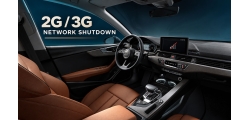
How will the 2G/3G network shutdown affect Audi connect, eCall, myAudi and OTA updates? Learn which vehicles may be affected and explore VAGupdate’s activation, firmware and adaptation options for eligible cars.
Unofficial Firmware Updates: Why Software Version Records Matter
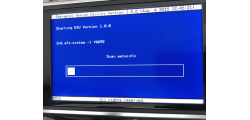
A firmware update may work today but cause a mismatch during a later online workshop procedure. Learn how software version management works, why clearing an SVM fault is different from documenting an update, and what to check before updating a Volkswagen Group vehicle.
Cheap Vehicle Coding Offers on Social Media: What Could Go Wrong?

Facebook and Instagram are full of low-cost vehicle coding offers. Before giving someone access to your VW, Audi, SEAT or Škoda, check their qualifications, diagnostic process, business details and responsibility if something goes wrong.
Troubleshooting Wireless Apple CarPlay in Your Audi: A Complete Guide
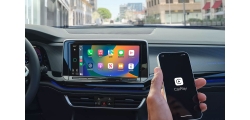
This guide for resolving wireless Apple CarPlay connection issues in Audi vehicles explores technical details such as 5GHz Wi-Fi conflicts, iOS security locks, and subscription renewal processes, providing step-by-step solutions for a seamless infotainment experience.
The New Era of VAG Security: Understanding SFD2 and UNECE Protection
If you own or work on a 2024 or newer Volkswagen, Audi, Seat, or Skoda, you’ve likely hit a digital brick wall. You plug in your diagnostic interface, open your software, and try to perform a simple adaptation or coding—only to find that even the "old" SFD unlock isn't enough.
Speedcam Data for MIB2 and MIB2.5 High Devices
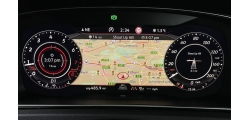
Navigating the roads is always better when you're informed. If your vehicle is equipped with the advanced MIB2 or MIB2.5 High infotainment system—found in many premium VW, Audi, Skoda, and SEAT models—you have the power to integrate comprehensive speed camera and safety POI (Points of Interest) data right into your navigation! This isn't just about avoiding a ticket; it's about promoting safer driving habits by making you aware of potential hazards.
Currently known vehicles protected by SFD2
Retrofit operations are currently not possible on the vehicles listed below. This is due to the manufacturer’s security measures, where any modifications to the vehicle configuration are encrypted on the diagnostic side and therefore cannot be altered externally.
Audi Has Just Released New Firmware Version for MMI High models
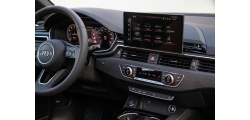
Audi Has Just Released New Firmware Version for MMI High models known as MHI3. New release train version is MHI3_ER_AU_P4014_MU4014.
SEAT has just released a new update Software Version: 0870 for the MOI3
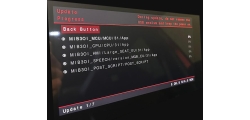
SEAT has just released new Software Version: 0870 for the MOI3 devices.
Software Train Version: MOI3_EU_SE_R8700L_MU0870
SEAT has just released new Software Version: 1969 for Leon and Formentor
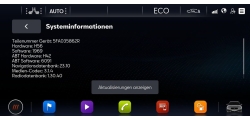
SEAT has just released new Software Version: 1969 for Leon and Formentor
Software Train Version: MOI3_EU_SE_R9690L_MU1969