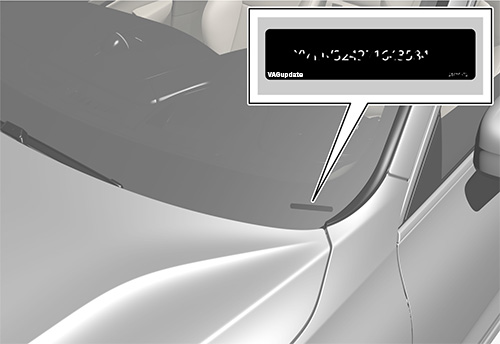
Vehicle Identification Numnber (VIN)
You can find it on bottom right corner for your car's front glass or in registration decuments.
This is required to register your update to the dealer network.
Check Installed SW Train Version:
MST2: MIB2 Std (Delphi )
MHI2: MIB2 High (Harman)
MHI3: MIB3 Alpine
MH2p: pre MIB3
MHI2Q: MIB2 High
MHIG: MIB1 High
MHS2: MIB2 Delphi
MPR3: MIB3
MS2P: MIB2 Std
MSTD: MIB1 Std
|
Tags: |
audiupdate infotainment update mmi update audi update firmware infotainment audi mmi |
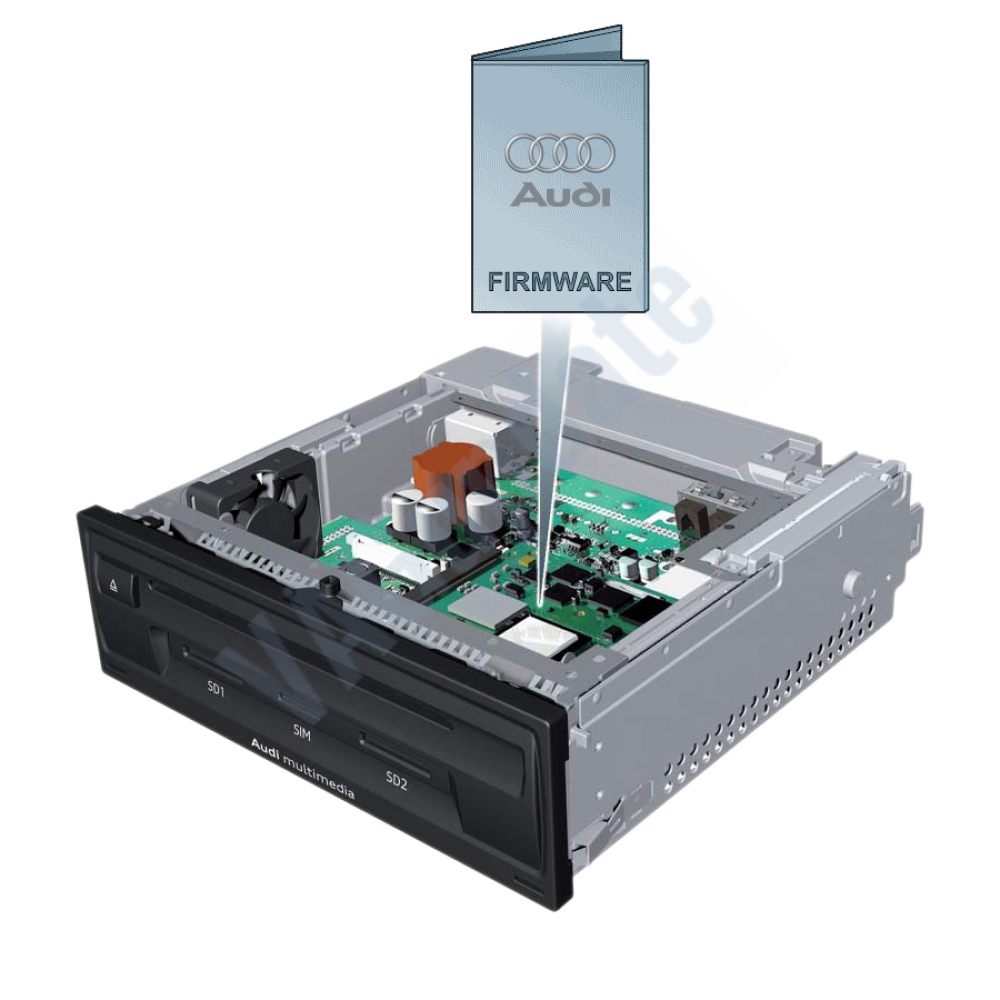
This is the full system (firmware) software of Audi MMI infotainment systems. You can upgrade your system to get the latest improvements and new features from the manufacturer. Please contact us for compatibility questions. The software supports all regions including Turkey and EU.
Digital Product. Nothing physical will be delivered. You will receive the download URL.
To check if a newer version is available for your MMI Infotainment system:
From the main menu go to Settings -> System Information. In the screen that opens, tell us the "Software Version" information.
Example data: MHI2_ER_AU37X_P4159
THE SOFTWARE IS APPROVED BY AN AUTHORIZED SERVICE AND IS PROVIDED ACCORDING TO YOUR CHASSIS NUMBER. YOU MUST SEND US YOUR CHASSIS NUMBER FOR ORDERING.
Improvements with the new version:
Requirements
Installation:
If you have any questions, you can contact us.
Check Installed SW Train Version:
MST2_EU_VW: Delphi (MIB2 Std)
MST2_EU_VW_PQ: Technisat/Preh (MIB2 Std)
MST2_EU_VW_ZR: Technisat/Preh (MIB2 Std)
MHI2_ER_VWG11: Harman (MIB2 High)
MHI2_ER_VWG13: Harman (MIB2.5 High)
MHI3: MIB3 Alpine
MOI3: MIB3 LG or Preh
MENT: MIB2 Entry
MH2p: pre MIB3
MHI2Q: MIB2 High
MHIG: MIB1 High
MHS2: MIB2 Delphi
MPR3: MIB3
MS2P: MIB2 Std
MSTD: MIB1 Std
MEN2: MIB2
MEN3: MIB3
To find your Installed SW Train Version,
For Audi MIB3:
Tap and hold top right corner of your screen with two fingers to go to red engineering menu, navigate to version information menu there.
For others use the shortcuts on keyboard as described here: https://vagupdate.com/blog/key-combinations-and-shortcuts-to-check-firmware-version
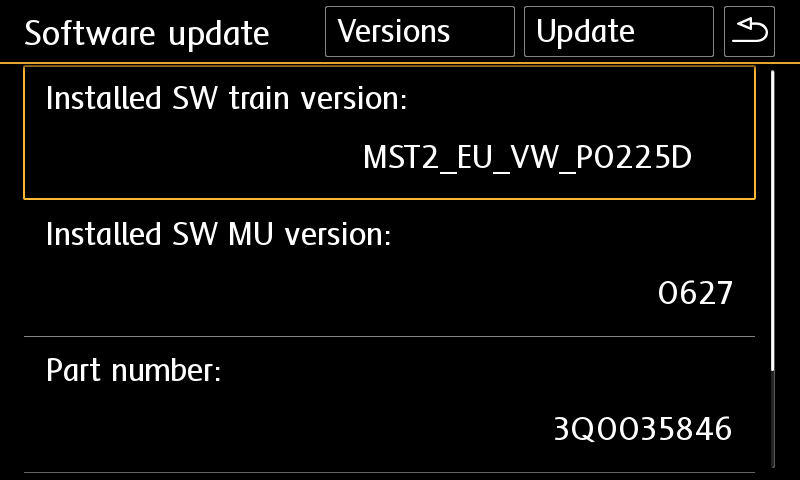
For VW MIB2 Press and hold menu button. Select "software update". You will see a screen below:


Yes you can do it on yourself. It is easy process.
Requirements:
Installation:
If you get any error or problem please let us know for assistance.
Ask us on Live Chat or send us a message here. You need to provide "Installed SW Train Version" and "Installed SW MU Version" informations to us.
To find it, use this tutorial: https://vagupdate.com/blog/key-combinations-and-shortcuts-to-check-firmware-version
You will see it at first row as you see in screenshot below:

No. You do not need any diagnostic tool or any software. Just an empty FAT32 formatted SD card or USB flash memory (for MIB3) and a computer.
That's all you need to update your infotainment system.
No, you cannot. Firmwares are dedicated to VIN number to keep all functions and setting same after the update. It is valid only for the purchased VIN.
If you install to another car, you may lose functions or completely brick the infotainment unit. And this is no covered by your warranty.
No, you can't. MIB is hardware. To make an upgrade from MIB1 to MIB2 or MIB2 to MIB3. You need to change your hardware.
You can perform firmware updates only for your existing hardware. For example, you cannot install MIB3 firmware on MIB2 device.
Total Reviews (2)
click here write review to add review for this product.
Check Installed SW Train Version:
MST2_EU_VW: Delphi (MIB2 Std)
MST2_EU_VW_PQ: Technisat/Preh (MIB2 Std)
MST2_EU_VW_ZR: Technisat/Preh (MIB2 Std)
MHI2_ER_VWG11: Harman (MIB2 High)
MHI2_ER_VWG13: Harman (MIB2.5 High)
MHI3: MIB3 Alpine
MOI3: MIB3 LG or Preh
MENT: MIB2 Entry
MH2p: pre MIB3
MHI2Q: MIB2 High
MHIG: MIB1 High
MHS2: MIB2 Delphi
MPR3: MIB3
MS2P: MIB2 Std
MSTD: MIB1 Std
MEN2: MIB2
MEN3: MIB3
To find your Installed SW Train Version,
For Audi MIB3:
Tap and hold top right corner of your screen with two fingers to go to red engineering menu, navigate to version information menu there.
For others use the shortcuts on keyboard as described here: https://vagupdate.com/blog/key-combinations-and-shortcuts-to-check-firmware-version
For VW MIB2 Press and hold menu button. Select "software update". You will see a screen below:


Yes you can do it on yourself. It is easy process.
Requirements:
Installation:
If you get any error or problem please let us know for assistance.
Ask us on Live Chat or send us a message here. You need to provide "Installed SW Train Version" and "Installed SW MU Version" informations to us.
To find it, use this tutorial: https://vagupdate.com/blog/key-combinations-and-shortcuts-to-check-firmware-version
You will see it at first row as you see in screenshot below:

No. You do not need any diagnostic tool or any software. Just an empty FAT32 formatted SD card or USB flash memory (for MIB3) and a computer.
That's all you need to update your infotainment system.
No, you cannot. Firmwares are dedicated to VIN number to keep all functions and setting same after the update. It is valid only for the purchased VIN.
If you install to another car, you may lose functions or completely brick the infotainment unit. And this is no covered by your warranty.
No, you can't. MIB is hardware. To make an upgrade from MIB1 to MIB2 or MIB2 to MIB3. You need to change your hardware.
You can perform firmware updates only for your existing hardware. For example, you cannot install MIB3 firmware on MIB2 device.